Automating AI Studio
From 55 unsorted AI Studio exports to a fleet-managed portfolio with autonomous content production — building the tools to manage the tools.
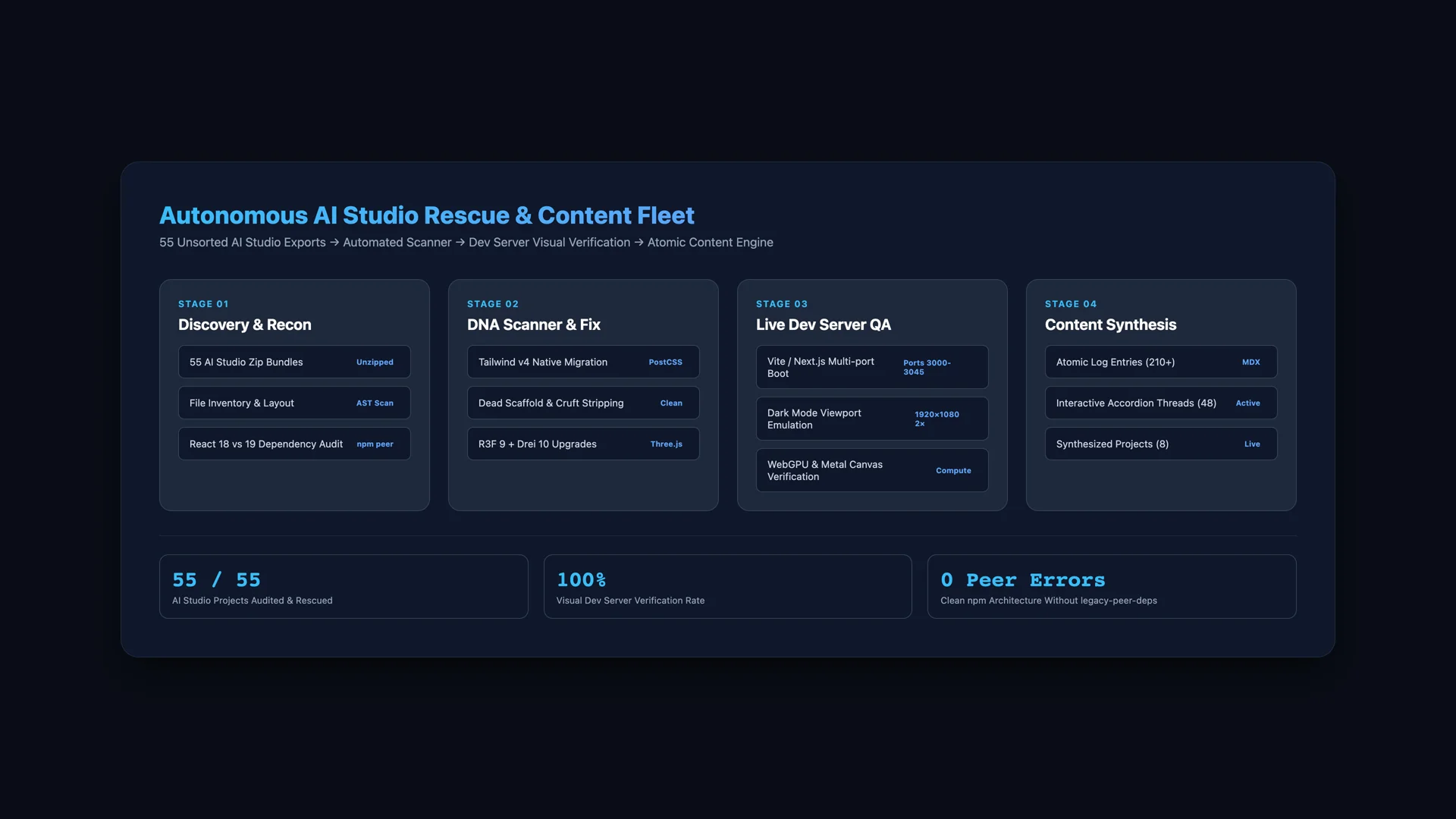
The autonomous fleet pipeline — orchestrating discovery, AST code repairs, dev server verification, and content synthesis across 55 exports.
Started with 55 AI Studio export folders and no system to manage them. Ended with a fleet operations pipeline that scans, fixes, triages, and produces portfolio content autonomously — then taught it how to write like a human instead of an agent.
Timeline
Opened the Antigravity sidebar and counted 55 folders starting with ais-. Every one is an AI Studio export — some are weather globes, some are countdowns, some are bill parsers, some are Three.js particle toys. Most still had the default ai-studio-applet package name and a README that said "Run and deploy." I'd worked on a bunch of them but couldn't tell you which ones had GitHub repos, which ones built, or which ones were duplicates of each other. The question wasn't "what did I build?" — it was "how do I even start sorting 55 experiments into something manageable?"
Started by asking the agent to grill me on organizational strategy. The options were environment-level grouping, one mega-project, or individual project folders. Settled on individual folders because each app has its own package.json and build pipeline — trying to umbrella them would have been fighting the tooling. Then the real insight: before doing anything to the apps, build a manifest system so every future operation has structured data to work with instead of parsing package.json heuristics every time.
Launched 67 DNA scanner subagents in 5 waves across all 55 AIS projects — then followed up with 50 DNA executor subagents to apply fixes. The scanner wave pattern was simple: send 12-15 projects per wave, let the manifests flood in, launch the next wave before the previous one finishes. Each scanner reads package.json, checks git remotes, counts screenshots, detects framework versions, and writes a structured .ais-manifest.json into the project root. 52 of 55 projects got manifests. The executors then ran the initial cleanup playbook on each: delete import maps, migrate API keys from process.env to import.meta.env, swap Tailwind CDN scripts for npm-installed PostCSS pipelines, and clean scaffold cruft.
The whole operation ran autonomously from a single parent conversation — 6,006 total steps across scanners and executors combined, one human message at the end asking for a recommended prompt for the next phase. The ai-studio-export-rescue skill (342 lines) codified every fix pattern learned from doing these rescues manually, and the agent applied it at fleet scale. The result: 52 projects with structured manifests, consistent build pipelines, and a clear status classification — shipped, needs-polish, raw-export, or local-only.
Built a drag-and-drop portfolio triage dashboard in a single session because spreadsheets weren't cutting it. The manifests gave me structured data, but staring at JSON didn't help me decide anything. So the agent spun up an Express server on port 3333 serving a visual triage UI — project cards with screenshots, drag-to-bucket sorting, group labels, and persistent state saved to triage-state.json. I dragged 12 projects into "get out of my sight" (duplicates, raw exports I'd never touch), grouped related apps by theme (all the weather apps into AtmoStudio, all the globes into GeoGenesis, 6 I/O countdowns into one cluster), and wrote notes explaining why each grouping existed.
The triage state tells the real story: 55 projects collapsed into 12 logical groups with human-written rationale. The "weather studio" cluster has 4 apps. The "countdown" cluster has 6. The "particles and physics" group has 3. Each note is a decision — "find what I love about each and bring those into a globe studio" or "these are ways to play with particles, maybe a game." A manifest gets you structured data. A triage dashboard gets you structured decisions.